Skyships Guides Hub
From first tutorial flight to T4 fleets—every core walkthrough in one place.
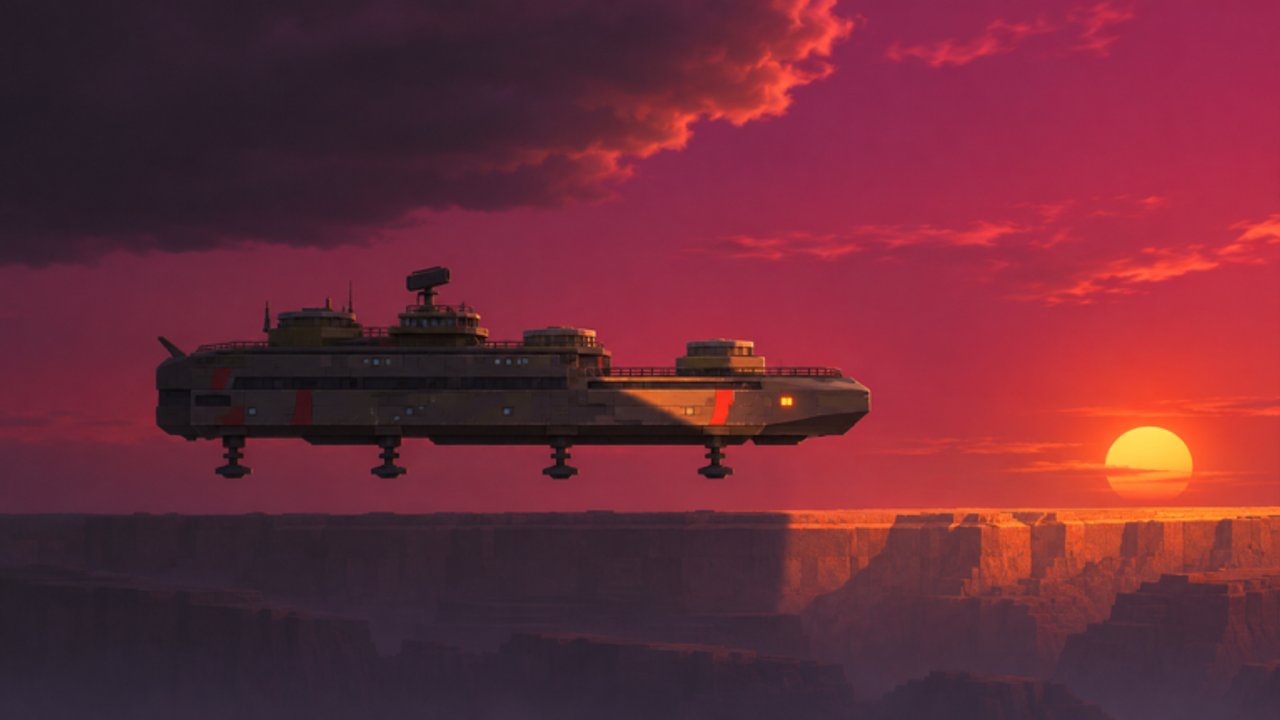
Welcome to the Skyships guides hub. Skyships is a free-to-play Roblox adventure by Rusty crafts, released October 22, 2026, with servers capped at 18 pilots. The ground is gone: you captain a skyship across the Neverlands, mining ore, selling at port markets, upgrading at the shipyard, and pushing into riskier zones beyond the clouds.
This hub is the map of every how-to page on the wiki. Use it when you know the topic but not the URL, or when you want a recommended reading order for a new captain.
Recommended reading order
- Start with the Getting Started voyage—finish the 11-step tutorial, mine your first Iron, dock at Fort Anton, and sell at Market → Resources.
- Memorize Controls so thrust, altitude, map, mining, and hull-stress reactions are automatic.
- Deepen Mining for laser warnings and dig habits, then open Resources for ore weights and CR/kg planning.
- Learn the board with Map & Ports—Fort Anton, Meridian, Cebar, legend markers, and waypoints.
- Stack paid work in Contracts (Ore, Field Training, Courier, Bounty) while you haul.
- Read Combat before you chase bounties or stray into Hostile Skies.
- Plan your tree with Ships, then Fleets when you lead other pilots.
- Open Cases for blueprints and the free like reward, then compare Game Passes before spending Robux.
Core loop in one paragraph
Fly out from a tier-appropriate fort, hold F on a deposit inside your laser arc, fill the hold without reckless overload, return to dock until cargo is secured and stored in the bunker, sell through Market → Resources, then spend credits (and minerals) at the Shipyard. Contracts—Ore, Field Training, Cargo Run / Courier, and Bounty—stack up to three active jobs and feed reputation, blueprints, and cash. Zones carry danger tiers; ignore the “beyond our tier” warning and you will meet enemies your hull cannot handle.
Forts and danger tiers
Fort Anton is the Tier 1 training home with nearby Iron. Fort Meridian opens Tier 2 contracts and routes. Fort Cebar sits in snowy purple-forest airspace and hosts heavier shipyard options later. The tactical map (M) marks ports, landmarks, deposit types, hostiles, and waypoints—right-click to set or clear a course, Space to center on your ship. Full legend and docking detail now lives on the dedicated Map & Ports guide.
Explore: what each guide covers
- Getting Started — Loading screen SPACE TO FLY, ENTERING NEVERLANDS, full first-hour checklist, and a mid-article full-guide video.
- Controls — W/S thrust, A/D turn, E/Q altitude, M map, F mine / landing context, G gear notes, and hull stress.
- Mining — Hold-F digs, OUT OF LASER ARC / NO DEPOSIT IN RANGE / DEPOSIT DEPLETED, and a mining/crates video.
- Resources — Iron 5 kg through Tungsten 19 kg, example CR/kg, CARGO FULL discipline, high-tier and exotic notes.
- Map & Ports — Tactical map legend, Fort Anton / Meridian / Cebar, Widow’s Cut, Hostile Skies, Enter Port docking.
- Contracts — Three active jobs, Ore and Field Training payouts, Courier L-11 / Meridian runs, Bounty Hunt, REP tips.
- Combat — Left-click target, X clear, range and view warnings, missiles, revive for 49 Robux vs free hangar repair, and the T4+ PvP gate.
- Ships — Wasp → Corvette / Hornet → Strizh / Petard → Berkut / Gyurza / Raptor, armored build progression, research tips, Starter Pack Strizh.
- Fleets — Assemble a fleet, lead pilots, and the More Fleet Members pass (up to 8).
- Cases — Locker openings, odds by tier, Training and Common paths, free like reward (3 Common Cases + MK8 Hydra + 1.25× kill earnings).
- Game Passes — Case Skip 29, More Fleet Members 99, Trader Pass 999, plus pack comparisons.
Cross-hub links
Pair these walkthroughs with the Codes list when promos drop, the Tier List when you compare loadouts, Players for community context (including the Market economy page), and Updates after patches. The Wiki page collects external links and community hubs.
How to use this wiki while you fly
Keep one browser tab on the guide that matches your current bottleneck. If cargo keeps stranding you short of port, reopen Mining and Resources. If you cannot find the next fort or ore icon, reopen Map & Ports. If jobs feel inefficient, reopen Contracts. If you die on every bounty, reopen Combat and Ships before buying a case. If friends cannot join your wing, reopen Fleets and the pass comparison. Skyships rewards patience: mine, sell, upgrade, then take one riskier voyage—not all risks at once.
New pages land under this hub as the meta shifts. Bookmark this Guides Hub, follow the reading order above on day one, then jump straight to the child guide that answers the prompt currently on your HUD.
Frequently Asked Questions
Quick answers to the most common questions.
Where should a brand-new Skyships player start?
Open Getting Started, finish the 11-step tutorial, mine Iron near Fort Anton, dock, sell at Market → Resources, then read Controls, Mining, and Map & Ports before leaving Tier 1 airspace.
Do I need Robux to follow these guides?
No. Skyships is free to play. Passes and packs are optional; the Game Passes guide explains what each purchase changes so you can skip them entirely if you prefer.
How many guides are under this hub?
Eleven child guides: Getting Started, Controls, Mining, Resources, Map & Ports, Contracts, Combat, Ships, Fleets, Cases, and Game Passes. This hub links all of them with a suggested order.
What is the core Skyships loop?
Mine ore, dock and store cargo, sell at the Market for credits, upgrade at the Shipyard, run up to three contracts for CR and REP, then fly riskier voyages while respecting danger tiers.